Model Capabilities
Reference-to-Video
Provide reference images, a preset voice, or both to guide the generated video. Images incorporate specific people, objects, clothing, or other visual elements without locking the first frame (unlike image-to-video). This is useful for virtual try-on, product placement, and stories with recurring characters. On grok-imagine-video-1.5, you can also pick the voice your subject speaks in (see Reference audio), pin the exact first or last frame (see First & Last frame), and pin frames at chosen moments inside the clip (see Keyframes).
Each reference image can be provided as a public HTTPS URL, a base64-encoded data URI, or a file_id from the Files API — and you can mix kinds within a single request. See Imagine → Files API Integration for file_id details and examples.
In the Vercel AI SDK, set providerOptions.xai.mode to "reference-to-video" and pass the images with providerOptions.xai.referenceImageUrls.
With many references, give each one a single role and a fixed place in the scene, keep the cast small, and keep props static.
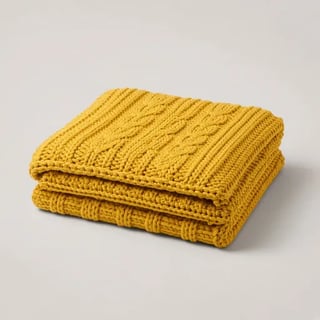
14 reference images and a preset voice: a model, a room, and 12 catalog products
- Modelvoice ursa
 0
0 - Room
 1
1 - Sofa
 2
2 - Armchair
 3
3 - Coffee table
 4
4 - Side table
 5
5 - Rug
 6
6 - Floor lamp
 7
7 - Bookshelf
 8
8 - Plant
 9
9 - Wall art
 10
10 - Throw
 11
11 - Cushions
 12
12 - Vase
 13
13
She says: “Welcome to my dream living room.”
grok-imagine-video-1.5 · 720p · 15 s · 16:9 · 1 preset voice
- Character
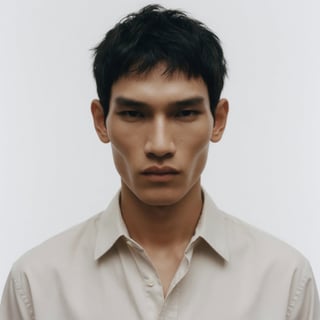
- Scene

grok-imagine-video-1.5 · 720p · 6 s
- Lena

- Sam

- Café

Sam: “I took the job in Berlin. We could leave in March.” Lena: “We? You didn’t even ask me.” Sam: “I thought you’d be happy for me.” Lena: “I am. I just thought we would… chat through it first then decide.”
grok-imagine-video-1.5 · 720p · 15 s · 16:9
| Limit | Value |
|---|---|
| Reference images | Up to 14 per request on grok-imagine-video-1.5; up to 7 on grok-imagine-video |
| Voice references | Up to 3 per request on grok-imagine-video-1.5, preset voices selected by voice_id (see Reference audio) |
| Pinned frames | grok-imagine-video-1.5 only: image as the first frame alongside references, last_frame, and up to 4 keyframes (see First & Last frame and Keyframes) |
| Required input | At least one reference image, voice, last_frame, or keyframes entry |
| Duration | Up to 15 seconds on grok-imagine-video-1.5; up to 10 seconds on grok-imagine-video |
| Resolution | Up to 720p |
Refer to reference images in the prompt by their position in the list, starting at <IMAGE_0> for the first image, then <IMAGE_1>, and so on. If you also set image to pin the first frame, it takes <IMAGE_0> and your reference images start at <IMAGE_1>.
import { xai } from "@ai-sdk/xai";
import { experimental_generateVideo as generateVideo } from "ai";

const result = await generateVideo({
    model: xai.video("grok-imagine-video-1.5"),
    prompt: "slow zoom in on the white fashion runway stage. then, the model from <IMAGE_0> walks in from the back of the shot from the white opening, and gracefully walk out onto the front of the white stage platform. they wear the shirt from <IMAGE_1> and black flared jeans. they look dramatically at the camera. high quality slow motion shot. fun, playful. skin pores. highly detailed faces. perfect shot. they reach the end of the runway and look at the camera as the camera slowly zooms. subtle smile.",
    duration: 10,
    aspectRatio: "16:9",
    providerOptions: {
        xai: {
            mode: "reference-to-video",
            referenceImageUrls: [
                "<IMAGE_URL_1>",
                "<IMAGE_URL_2>",
                "<IMAGE_URL_3>",
            ],
            resolution: "720p",
            pollTimeoutMs: 600000,
        },
    },
});

const videoUrl = result.providerMetadata?.xai?.videoUrl;
console.log(videoUrl);
Reference audio
On grok-imagine-video-1.5, give your subject a voice by passing up to 3 preset voices with reference_audios. Each entry names a voice by voice_id, drawn from the same built-in roster as Text to Speech, so {"voice_id": "eve"} speaks in Eve's voice. Identifiers are case-insensitive; an unknown one returns 400 with the list of available voices. You can hear every voice in the flagship voices announcement.
reference_audios accepts preset voices; voice references with your own audio files are available to trusted partners on request. Use a voice alongside reference images or on its own, and tag voices in the prompt as <AUDIO_0>, <AUDIO_1>, and <AUDIO_2> (with <IMAGE_0>… when you also pass images).

Several generations from these two inputs, edited together.
import os
import time
import requests

headers = {
    "Content-Type": "application/json",
    "Authorization": f"Bearer {os.environ['XAI_API_KEY']}",
}

response = requests.post(
    "https://api.x.ai/v1/videos/generations",
    headers=headers,
    json={
        "model": "grok-imagine-video-1.5",
        "prompt": "The person from <IMAGE_0> presents the product from <IMAGE_1> on the set from <IMAGE_2>, speaking with the voice from <AUDIO_0>. A second speaker with the voice from <AUDIO_1> replies.",
        "reference_images": [
            {"url": "<IMAGE_URL_1>"},
            {"url": "<IMAGE_URL_2>"},
            {"url": "<IMAGE_URL_3>"},
        ],
        "reference_audios": [
            {"voice_id": "eve"},
            {"voice_id": "leo"},
        ],
        "duration": 8,
        "aspect_ratio": "9:16",
        "resolution": "720p",
    },
)

request_id = response.json()["request_id"]

while True:
    result = requests.get(
        f"https://api.x.ai/v1/videos/{request_id}",
        headers={"Authorization": headers["Authorization"]},
    )
    data = result.json()
    if data["status"] == "done":
        print(data["video"]["url"])
        break
    elif data["status"] == "failed":
        print("Video generation failed")
        break
    time.sleep(5)
First & Last frame
On grok-imagine-video-1.5, last_frame pins the exact last frame of the clip. The video ends arriving on that image rather than re-rendering it as a reference. image combined with reference_images, reference_audios, or last_frame is the matching first-frame pin.
| Request shape | Result |
|---|---|
image + last_frame | Pinned first and last frame. The model interpolates between the two. |
last_frame only | Pinned last frame. The model generates the opening and lands on the pinned image. |
last_frame + reference_images / reference_audios | Pinned last frame with reference guidance. Add image to pin the first frame as well. |
prompt is optional in every first & last frame request. Include one to steer motion and camera work between the frames; omit it to let the frames alone drive the clip.
last_frame uses the same URL, data-URI, and file_id shapes as image-to-video. Set the pins in each SDK like this:
| Pin | REST | Python SDK | Vercel AI SDK |
|---|---|---|---|
| First frame | image | image_url or image_file_id | frameImages entry with frameType: "first_frame" |
| Last frame | last_frame | last_frame_url or last_frame_file_id | frameImages entry with frameType: "last_frame" |
The Vercel AI SDK options need @ai-sdk/xai 5.0.8 or later.
import os
import time
import requests

headers = {
    "Content-Type": "application/json",
    "Authorization": f"Bearer {os.environ['XAI_API_KEY']}",
}

response = requests.post(
    "https://api.x.ai/v1/videos/generations",
    headers=headers,
    json={
        "model": "grok-imagine-video-1.5",
        "prompt": "The camera dollies from the sunlit doorway to the window, settling on the closing frame.",
        "image": {"url": "<FIRST_FRAME_URL>"},
        "last_frame": {"url": "<LAST_FRAME_URL>"},
        "duration": 8,
        "aspect_ratio": "16:9",
        "resolution": "720p",
    },
)

request_id = response.json()["request_id"]

while True:
    result = requests.get(
        f"https://api.x.ai/v1/videos/{request_id}",
        headers={"Authorization": headers["Authorization"]},
    )
    data = result.json()
    if data["status"] == "done":
        print(data["video"]["url"])
        break
    elif data["status"] == "failed":
        print("Video generation failed")
        break
    time.sleep(5)
Keyframes
On grok-imagine-video-1.5, keyframes pins images at chosen moments inside the clip. Each entry pairs an image with a timestamp_s, and the video passes through that exact image at that time. Use it to storyboard a shot: the model generates the motion between your anchors rather than inventing the whole clip from one frame.
JSON
"keyframes": [
  {"image": {"url": "<KEYFRAME_URL_1>"}, "timestamp_s": 2.0},
  {"image": {"url": "<KEYFRAME_URL_2>"}, "timestamp_s": 4.0}
]
Keyframes cover the interior of the clip; the endpoints keep their own fields. Pin the opening with image and the closing with last_frame, and combine any of the three with reference_images or reference_audios. prompt is optional whenever a frame is pinned.
| Constraint | Detail |
|---|---|
| Count | At most 4 keyframes per request. |
| Timing | timestamp_s must fall strictly inside the clip: greater than 0 and less than duration. |
| Spacing | Anchors snap to a 1/3-second grid. Two keyframes that round to the same slot are rejected, so keep them at least 1/3 s apart. |
| Inputs | Each image accepts the same URL, data-URI, and file_id shapes as image-to-video. |
The SDKs name the keyframe fields differently:
| Field | REST | Python SDK | Vercel AI SDK |
|---|---|---|---|
| List | keyframes | keyframes | providerOptions.xai.keyframes |
| Image | image object | image_url or image_file_id | imageUrl |
| Time in seconds | timestamp_s | timestamp | timestampSeconds |
| Endpoints | image, last_frame | image_url, last_frame_url | frameImages |
For example, a Python SDK entry is {"image_url": "<KEYFRAME_URL_1>", "timestamp": 2.0}. The Vercel AI SDK options need @ai-sdk/xai 5.0.8 or later.
Example: a year that loops
Pins work best when they share a scene: generate one still, then make the others with image editing so only what should change differs. To loop a clip, pass the same image as image and last_frame.

import osimport timeimport requestsheaders = { "Content-Type": "application/json", "Authorization": f"Bearer {os.environ['XAI_API_KEY']}",}response = requests.post( "https://api.x.ai/v1/videos/generations", headers=headers, json={ "model": "grok-imagine-video-1.5", "prompt": "A locked-off time-lapse of a single oak and its wheat field across one full year, ending exactly where it began: the young green spring wheat grows tall and ripens to gold under summer skies, a harvest cuts it to stubble and leaves round straw bales as the oak's leaves turn orange and fall, the bales are cleared and snow covers the field and the bare branches, then the snow melts, green shoots return in the rows and the oak leafs out again. Clouds race overhead and the light shifts with the seasons. The camera never moves.", "image": {"url": "https://docs.x.ai/assets/api-examples/video/oak-spring.jpg"}, "keyframes": [ {"image": {"url": "https://docs.x.ai/assets/api-examples/video/oak-summer.jpg"}, "timestamp_s": 3.0}, {"image": {"url": "https://docs.x.ai/assets/api-examples/video/oak-autumn.jpg"}, "timestamp_s": 6.0}, {"image": {"url": "https://docs.x.ai/assets/api-examples/video/oak-winter.jpg"}, "timestamp_s": 9.0}, ], "last_frame": {"url": "https://docs.x.ai/assets/api-examples/video/oak-spring.jpg"}, "duration": 12, "aspect_ratio": "16:9", "resolution": "720p", },)request_id = response.json()["request_id"]while True: result = requests.get( f"https://api.x.ai/v1/videos/{request_id}", headers={"Authorization": headers["Authorization"]}, ) data = result.json() if data["status"] == "done": print(data["video"]["url"]) break elif data["status"] == "failed": print("Video generation failed") break time.sleep(5)Related
- Video Generation — Generate videos from text prompts
- Image-to-Video — Animate a still image
- Video Editing — Edit existing videos
- API Reference — Full endpoint documentation
- Imagine API Landing Page — Showcase of the Imagine API in action
Last updated: October 19, 2026