Files & Collections
Using Collections via API
This guide walks you through managing collections programmatically using the xAI SDK and REST API.
Creating a Management Key
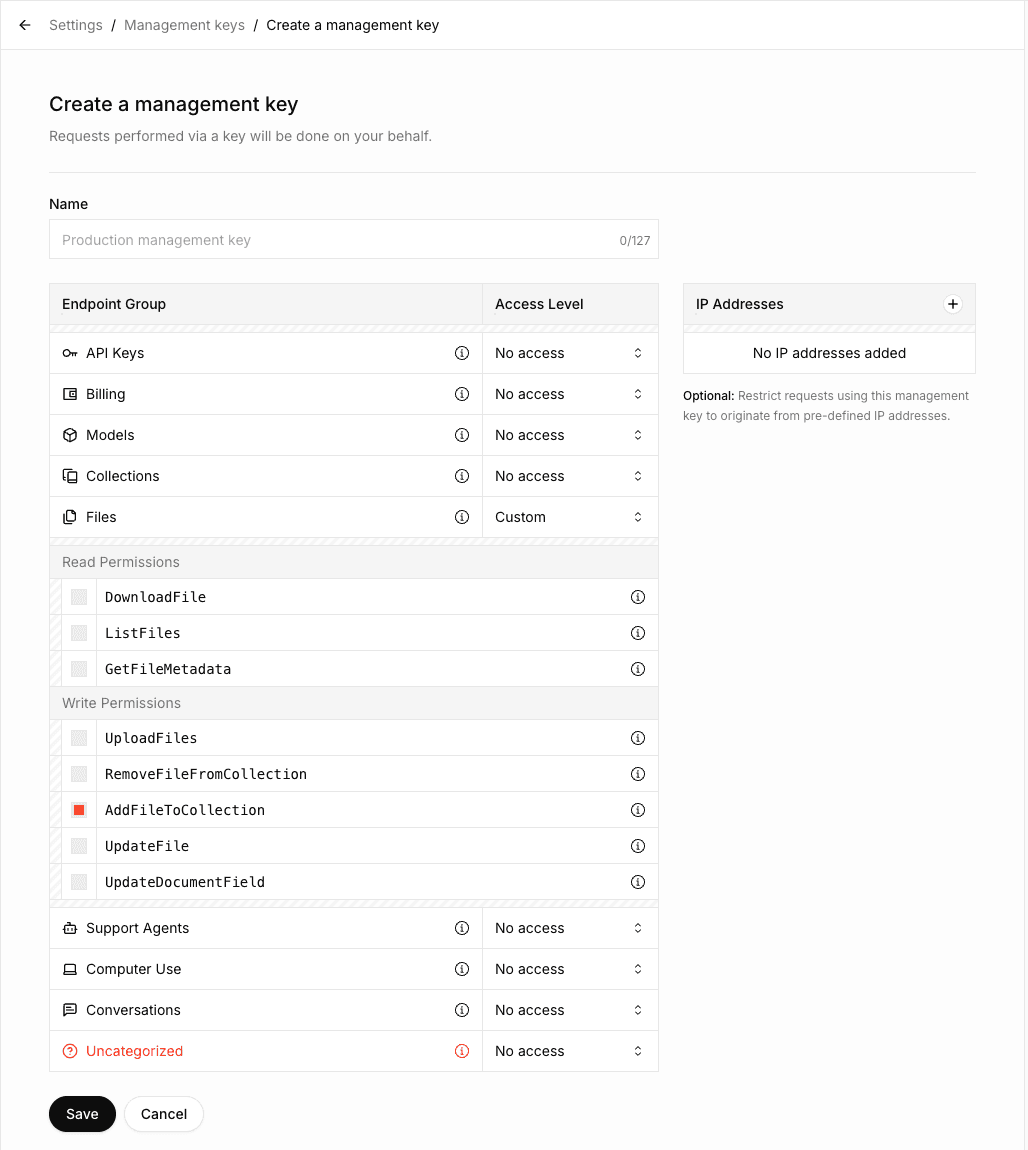
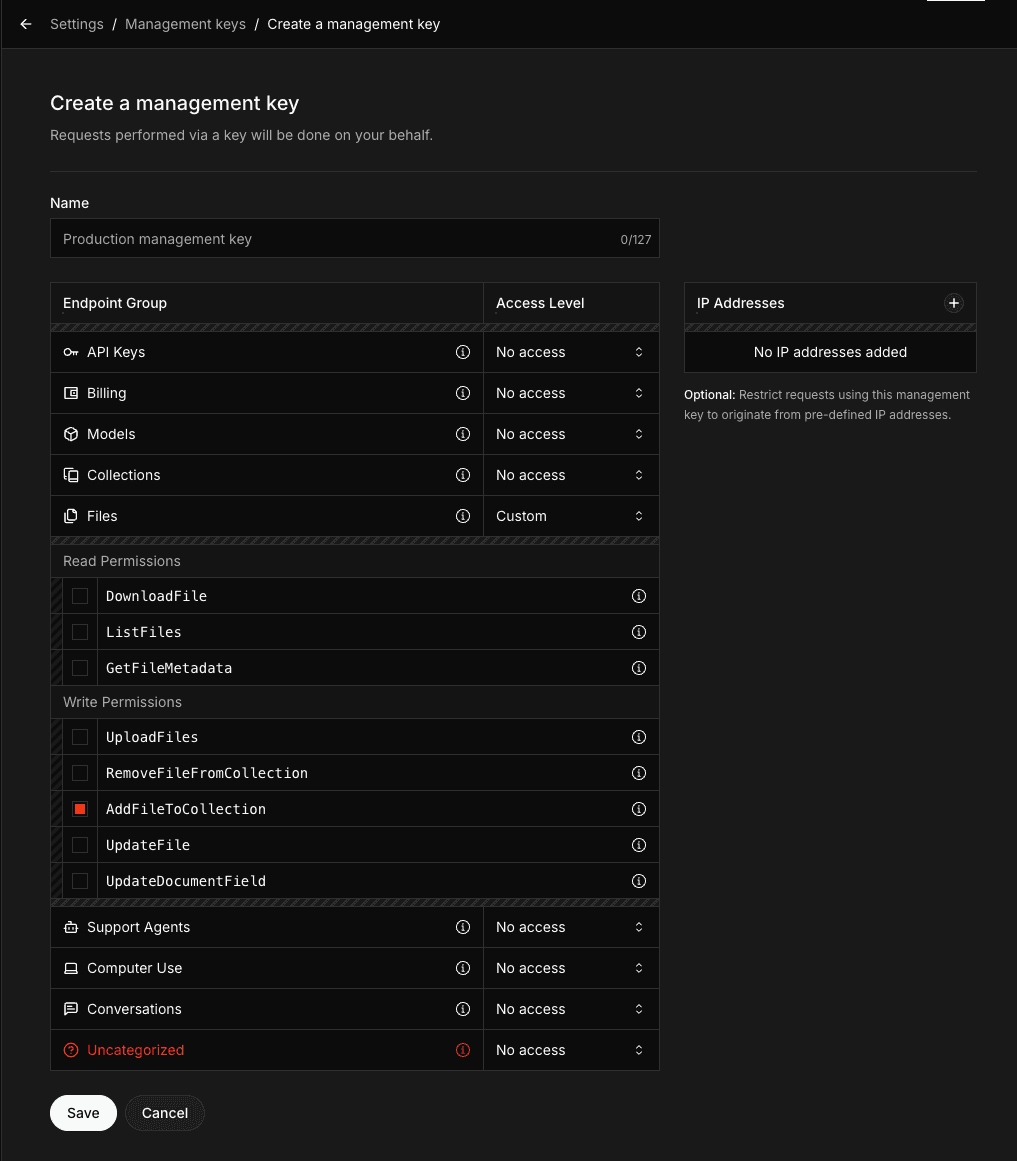
To use the Collections API, you need to create a Management API Key with the AddFileToCollection permission. This permission is required for uploading documents to collections.
- Navigate to the Management Keys section in the xAI Console
- Click on Create Management Key
- Select the
AddFileToCollectionpermission along with any other permissions you need - If you need to perform operations other than uploading documents (such as creating, updating, or deleting collections), enable the corresponding permissions in the Collections Endpoint group
- Copy and securely store your Management API Key
Make sure to copy your Management API Key immediately after creation. You won't be able to see it again.
Creating a collection
const response = await fetch('https://management-api.x.ai/v1/collections', {
  method: 'POST',
  headers: {
    'Content-Type': 'application/json',
    'Authorization': `Bearer ${process.env.XAI_MANAGEMENT_API_KEY}`,
  },
  body: JSON.stringify({ collection_name: 'SEC Filings' }),
});

const collection = await response.json();
console.log(collection);
Listing collections
const response = await fetch('https://management-api.x.ai/v1/collections', {
  headers: {
    'Authorization': `Bearer ${process.env.XAI_MANAGEMENT_API_KEY}`,
  },
});

const collections = await response.json();
console.log(collections);
Viewing collection configuration
const collectionId = 'collection_dbc087b1-6c99-493d-86c6-b401fee34a9d';
const response = await fetch(`https://management-api.x.ai/v1/collections/${collectionId}`, {
  headers: {
    'Authorization': `Bearer ${process.env.XAI_MANAGEMENT_API_KEY}`,
  },
});

const collection = await response.json();
console.log(collection);
Updating collection configuration
const collectionId = 'collection_dbc087b1-6c99-493d-86c6-b401fee34a9d';
const response = await fetch(`https://management-api.x.ai/v1/collections/${collectionId}`, {
  method: 'PUT',
  headers: {
    'Content-Type': 'application/json',
    'Authorization': `Bearer ${process.env.XAI_MANAGEMENT_API_KEY}`,
  },
  body: JSON.stringify({ collection_name: 'SEC Filings (New)' }),
});

const collection = await response.json();
console.log(collection);
Uploading documents
Uploading a document to a collection is a two-step process:
- Upload the file to the xAI API
- Add the uploaded file to your collection
import fs from 'fs';

const collectionId = 'collection_dbc087b1-6c99-493d-86c6-b401fee34a9d';

// Step 1: Upload file
const fileData = fs.readFileSync('tesla-20241231.html');
const formData = new FormData();
formData.append('file', new Blob([fileData], { type: 'text/html' }), 'tesla-20241231.html');
formData.append('purpose', 'assistants');
const uploadResponse = await fetch('https://api.x.ai/v1/files', {
  method: 'POST',
  headers: { 'Authorization': `Bearer ${process.env.XAI_API_KEY}` },
  body: formData,
});

const { id: fileId } = await uploadResponse.json();

// Step 2: Add to collection
await fetch(`https://management-api.x.ai/v1/collections/${collectionId}/documents/${fileId}`, {
  method: 'POST',
  headers: { 'Authorization': `Bearer ${process.env.XAI_MANAGEMENT_API_KEY}` },
});
Uploading with metadata fields
If your collection has metadata fields defined (the collection must have these fields set in field_definitions when created or updated - see the linked metadata page for details), include them using the fields parameter:
curl https://management-api.x.ai/v1/collections/collection_dbc087b1-6c99-493d-86c6-b401fee34a9d/documents \
  -H "Authorization: Bearer $XAI_MANAGEMENT_API_KEY" \
  -F "name=paper.pdf" \
  -F "data=@paper.pdf" \
  -F "content_type=application/pdf" \
  -F 'fields={"author": "Sandra Kim", "year": "2024", "title": "Q3 Revenue Analysis"}'
Searching documents
You can also search documents using the Responses API with the file_search tool. See the Collections Search Tool guide for more details.
const response = await fetch('https://api.x.ai/v1/documents/search', {
  method: 'POST',
  headers: {
    'Content-Type': 'application/json',
    'Authorization': `Bearer ${process.env.XAI_API_KEY}`,
  },
  body: JSON.stringify({
    query: 'What were the key revenue drivers based on the SEC filings?',
    source: {
      collection_ids: ['collection_dbc087b1-6c99-493d-86c6-b401fee34a9d'],
    },
  }),
});

const results = await response.json();
console.log(results);
Search modes
There are three search methods available:
- Keyword search
- Semantic search
- Hybrid search (combines both keyword and semantic methods)
By default, the system uses hybrid search, which generally delivers the best and most comprehensive results.
| Mode | Description | Best for | Drawbacks |
|---|---|---|---|
| Keyword | Searches for exact matches of specified words, phrases, or numbers | Precise terms (e.g., account numbers, dates, specific financial figures) | May miss contextually relevant content |
| Semantic | Understands meaning and context to find conceptually related content | Discovering general ideas, topics, or intent even when exact words differ | Less precise for specific terms |
| Hybrid | Combines keyword and semantic search for broader and more accurate results | Most real-world use cases | Slightly higher latency |
The hybrid approach balances precision and recall, making it the recommended default for the majority of queries.
An example to set hybrid mode:
Bash
curl https://api.x.ai/v1/documents/search \
  -H "Content-Type: application/json" \
  -H "Authorization: Bearer $XAI_API_KEY" \
  -d '{
      "query": "What were the key revenue drivers based on the SEC filings?",
      "source": {
          "collection_ids": [
              "collection_dbc087b1-6c99-493d-86c6-b401fee34a9d"
          ]
      },
      "retrieval_mode": {"type": "hybrid"}
}'
You can set "retrieval_mode": {"type": "keyword"} for keyword search and "retrieval_mode": {"type": "semantic"} for semantic search.
Deleting a document
const collectionId = 'collection_dbc087b1-6c99-493d-86c6-b401fee34a9d';
const fileId = 'file_55a709d4-8edc-4f83-84d9-9f04fe49f832';

await fetch(`https://management-api.x.ai/v1/collections/${collectionId}/documents/${fileId}`, {
  method: 'DELETE',
  headers: { 'Authorization': `Bearer ${process.env.XAI_MANAGEMENT_API_KEY}` },
});
Deleting a collection
const collectionId = 'collection_dbc087b1-6c99-493d-86c6-b401fee34a9d';

await fetch(`https://management-api.x.ai/v1/collections/${collectionId}`, {
  method: 'DELETE',
  headers: { 'Authorization': `Bearer ${process.env.XAI_MANAGEMENT_API_KEY}` },
});
Next Steps
Metadata Fields
Learn how to attach structured attributes to documents for filtering and contextual embeddings
Last updated: May 25, 2026