Use with Code Editors
You can use Grok with coding assistant plugins to help you code. Our Code models are specifically optimized for this task, which would provide you a smoother experience.
For pricing and limits of Code models, check out Models and Pricing.
Using Grok Code models with Cline
To use Grok with Cline, first download Cline from VSCode marketplace. Once you have installed Cline in VSCode, open Cline.
Click on "Use your own API key".

Then, you can save your xAI API key to Cline.
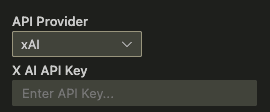
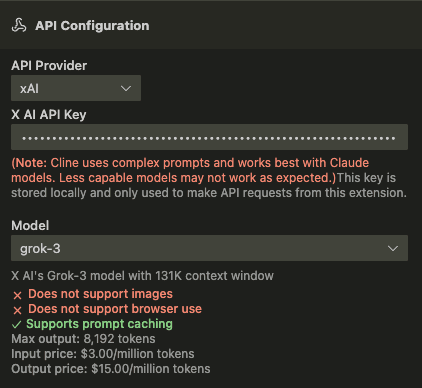
After setting up your xAI API key with Cline, you can set to use a coding model. Go to Cline settings -> API Configuration and you can choose grok-4.20-reasoning as the model.
Using Grok Code models with Cursor
You can also use Grok with Cursor to help you code.
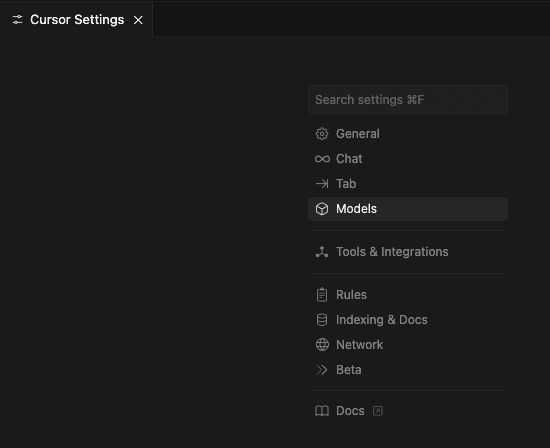
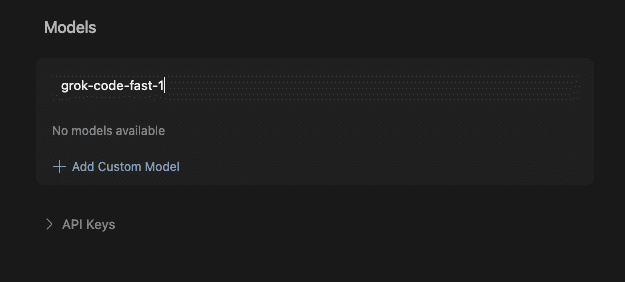
After installing Cursor, head to Cursor Settings -> Models.
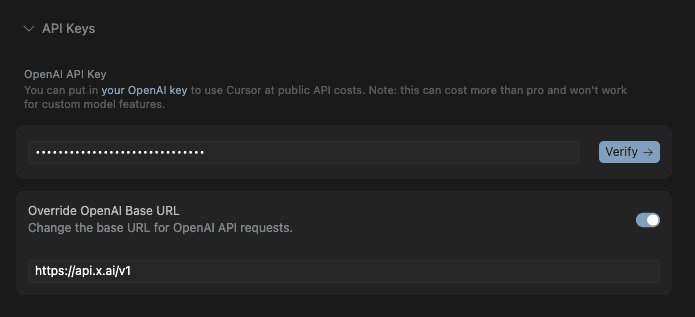
Open API Keys settings, enter your xAI API key and set Override OpenAI Base URL to https://api.x.ai/v1
In the "Add or search model" input box, enter a coding model such as grok-4.20-reasoning. Then click on "Add Custom Model".
Other code assistants supporting Grok Code models
Besides Cline and Cursor, you can also use our code model with GitHub Copilot, opencode, Kilo Code, Roo Code and Windsurf.
Did you find this page helpful?
Last updated: February 4, 2026