Grok + HubSpot
HubSpot MCP Setup
Last updated: April 2026
What This Does
xAI MCP lets Grok securely read and analyze your HubSpot CRM data in natural language. You can ask questions like "Summarize my open deals over $50k" or "Who owns the Acme Corp account and what are their recent activities?"—all with read-only access.
Important: This integration is read-only (no create, update, or bulk write operations). Your data stays in HubSpot—xAI does not store it. Requires a Grok subscription (SuperGrok or SuperGrok Heavy recommended for best performance).
Prerequisites
- Active HubSpot account
- Grok account (via grok.com or xAI platform)
- Admin access in HubSpot for installation
Step 1: Install the xAI MCP App in HubSpot
- Go to the HubSpot Marketplace and search for "xAI MCP".
- Click Install app.
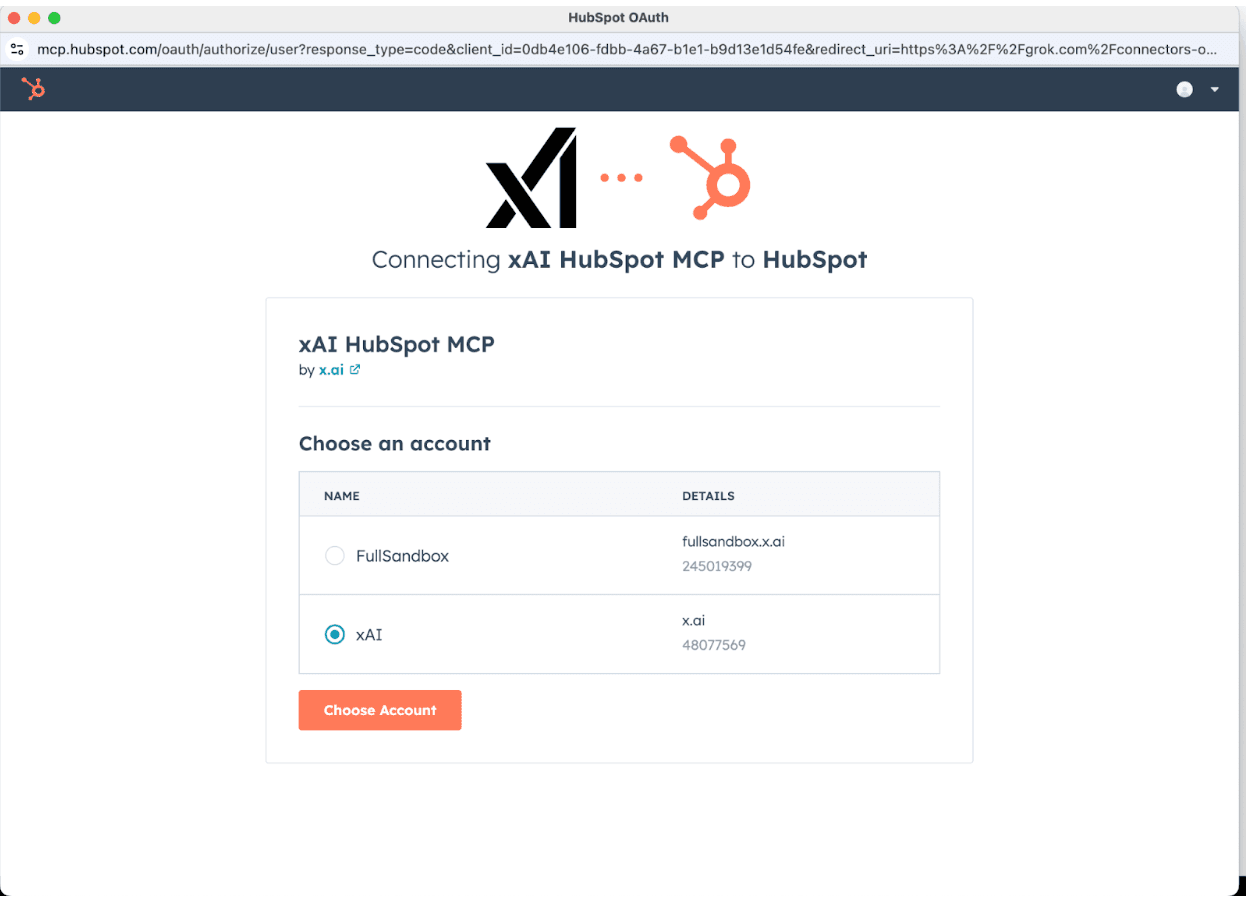
- Select the HubSpot account you want to connect to.
- Review and approve the requested read-only scopes (contacts, companies, deals, tickets, etc.).
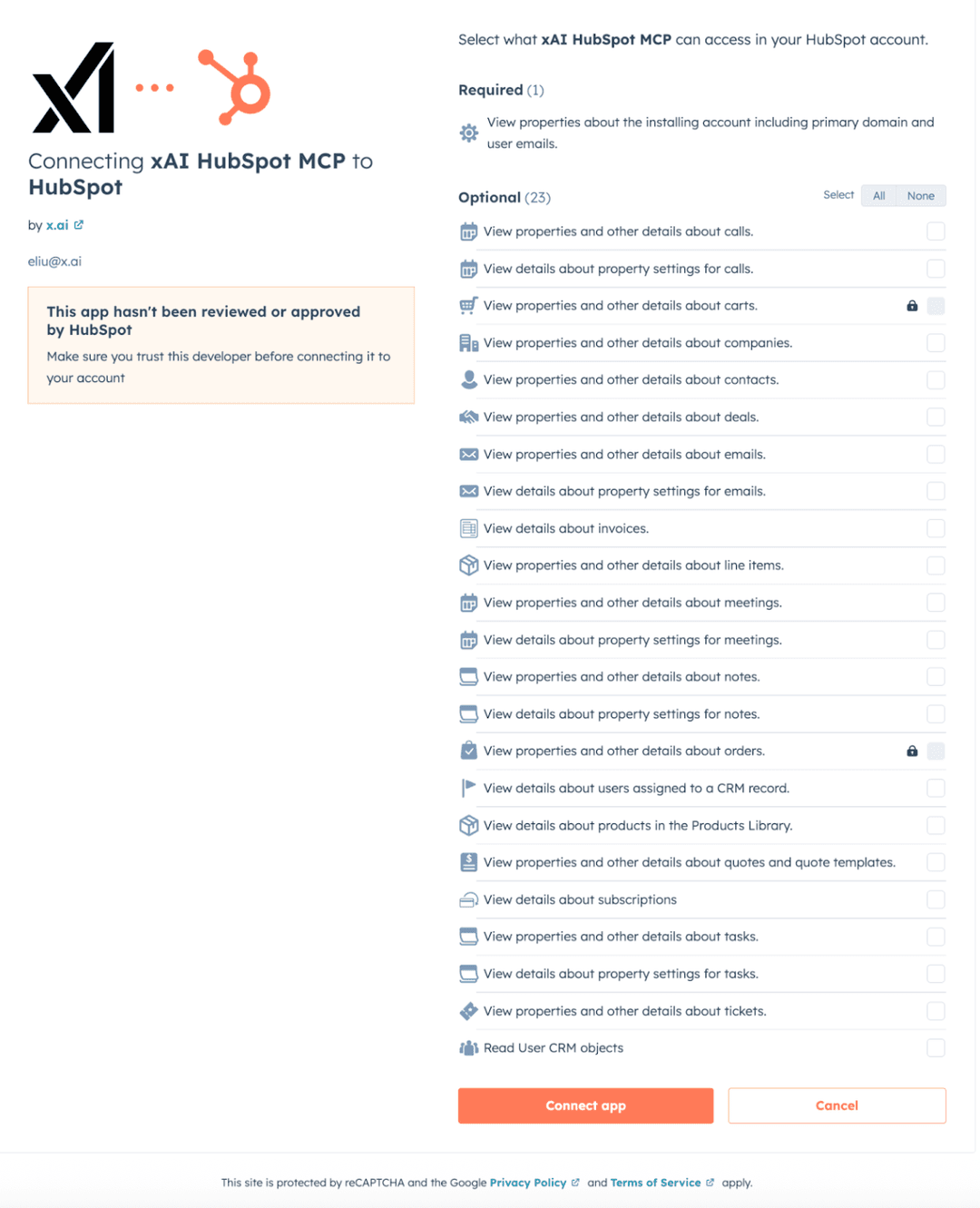
- Click Connect app.
Step 2: Connect Grok to Your HubSpot Data via MCP
- Open Grok (at grok.com/manage-connectors or in your preferred Grok interface).
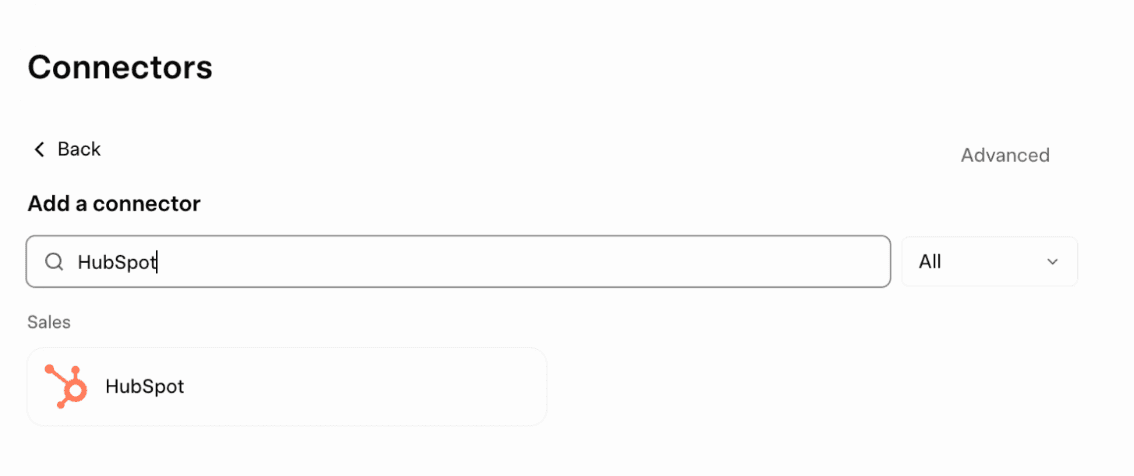
- Click the + Add connector button.
- Search for HubSpot and select it.
- Click Connect and complete the OAuth authorization flow (Grok will redirect you back to HubSpot to approve permissions).
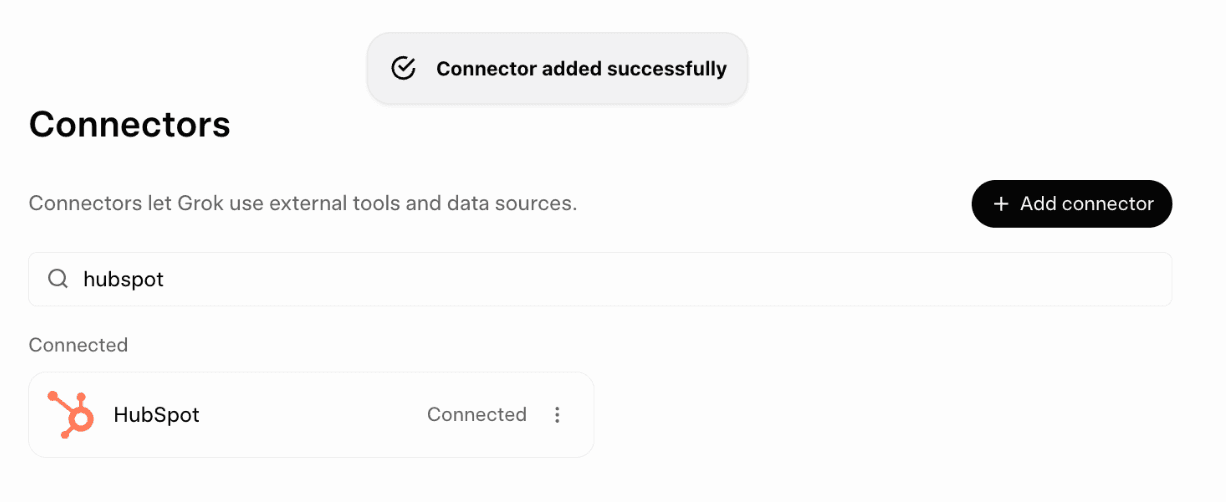
Once connected, you'll see a confirmation and HubSpot will appear as a connected connector.
Step 3: Start Using It
Try these example prompts in Grok:
- "Summarize my open deals over $50k this quarter"
- "Show me recent activity on the Acme Corp account"
- "What are the top open tickets and their owners?"
- "Analyze pipeline trends for Q2"
Grok will pull live data and give contextual, AI-powered answers.
Disconnect or Uninstall
Disconnect: In HubSpot, go to Settings → Integrations → Connected apps → xAI MCP → Disconnect. Then remove the MCP server in Grok settings.
Uninstall: In HubSpot, go to the app and follow the standard uninstall process.
Security & Privacy
- Read-only access only.
- You control and can revoke permissions at any time.
- No data is stored by xAI.
Troubleshooting
Need help? Contact xAI support or visit the xAI Developer Discord.
Last updated: April 10, 2026